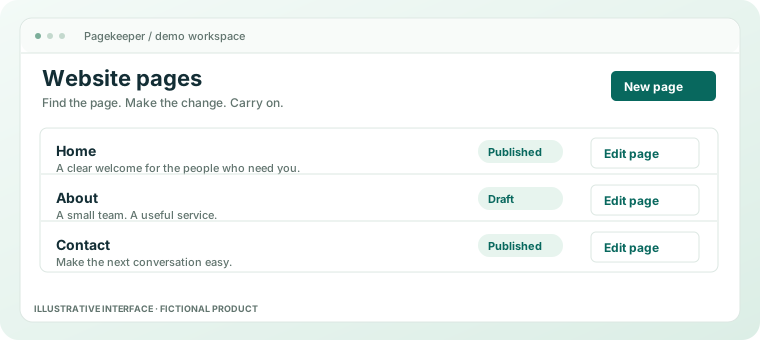
Demonstration article for Pagekeeper, a fictional website-management product. The examples are illustrative, not findings about a particular customer or plugin.
It starts with a perfectly reasonable request. The business needs a contact form. Someone installs a plugin. Then the form needs a small adjustment, the adjustment needs another extension, and by Thursday the website has acquired a social life you were not invited to.
WordPress plugins solve real problems. A good one can be exactly the right tool. The difficulty arrives when the collection becomes a substitute for deciding what the website actually needs to do.
The collection rarely arrives all at once
No one sits down on Monday morning and announces a plan to make the website harder to maintain. The collection grows one sensible decision at a time. A booking tool for a service that later changes. An analytics experiment that nobody reads. A layout extension installed to move a button a little to the left.
Each addition may have made sense on the day. Six months later, the person responsible for the website is looking at a list of names that sounds like the supporting cast of a technology conference.
The missing question is not “Is this plugin good?” It is “What job is this doing for us now?” A capable tool can still be the wrong tool to keep.
Start with the work, not the directory
Write down the jobs your business website needs to do. Use verbs. Explain a service. Show useful examples. Publish advice. Accept an enquiry. Help someone find the opening hours. The list should sound like your business, rather than a software catalogue.
For each job, identify where it happens and who looks after it. This is less exciting than installing something with a very confident landing page. It is also more useful when somebody asks why the website has stopped doing the thing it used to do.
A small inventory beats a heroic guess
- Record what each tool does and which pages depend on it.
- Look for overlapping jobs before adding another solution.
- Identify the person who can explain the configuration.
- Keep a way to test changes and recover before removing anything.
If nobody can explain why a tool is there, that is a reason to investigate. It is not permission to delete it during lunch.
Question | A useful answer |
|---|---|
What does it do? | A specific job on a specific part of the site. |
Who uses it? | Someone who can explain why the job matters. |
What depends on it? | Pages, content or other tools that need checking first. |
Do not make “simpler” mean “remove everything”
There is no prize for the smallest plugin count. A booking system might be essential. A specialist accessibility or translation tool might have a clear purpose. Reducing a list is only an improvement if the website still does its job.
The aim is a system you can understand and maintain. Sometimes that means keeping a well-supported extension. Sometimes it means replacing two overlapping tools with one clear process. Sometimes it means admitting that a feature has not been used since the person who requested it left the company.
Avoid turning a tidy-up into a surprise migration. Make a current backup, understand how it would be restored, and test the effect of a change before applying it to a live business website. Those steps are practical questions for the actual service or maintainer; this fictional demo supplies no backup or migration service.
Publishing should be the ordinary part
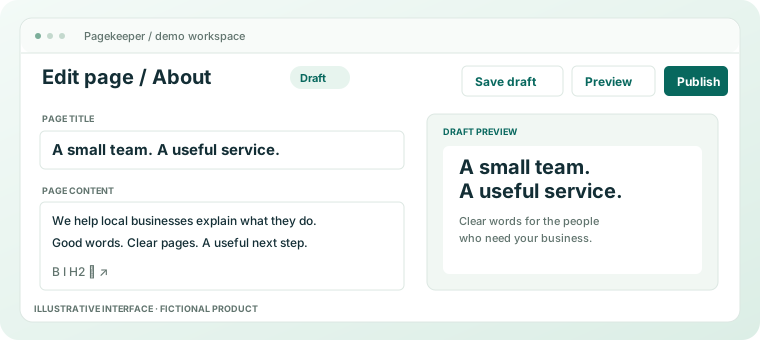
A useful content workflow has a recognisable beginning and end: find the page, make the edit, check the result and publish it. The fact that this sounds unremarkable is rather the point. Updating opening hours should not need a project name.
Keep the steps visible. Separate editing from decisions about software maintenance. Write down anything a colleague would otherwise have to discover by clicking carefully and hoping for the best.
What Pagekeeper is doing in this story
Pagekeeper is a fictional product concept, and this article is part of a theme demonstration. Its screens imagine everyday website tasks in a clearer sequence. They do not prove that a real provider has solved maintenance, export, security or migration for your business.
The useful idea survives without the fictional software: choose tools for a job, keep track of the dependencies and make ordinary publishing ordinary. Your website can be an asset without becoming an extracurricular activity.
Take a closer look at the demonstration features